What is an AI agent skill? A plain guide for marketers

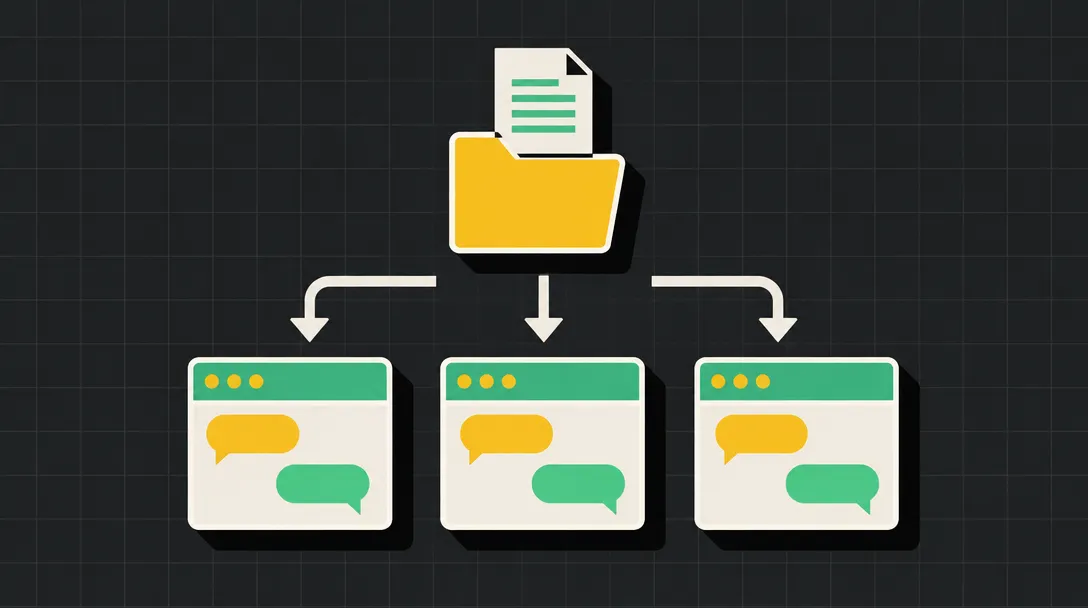
An AI agent skill is a saved set of instructions, and sometimes supporting files, that tells an AI agent how to do one job, such as reviewing a search terms report or drafting a content brief. You install it once. When a task matches, the agent loads the skill and follows its steps and output format, so you get the same method every time.
That is the whole idea. The rest of this guide covers how skills work in Claude, how the same text works in other assistants, what marketers use them for and where they fall short.
How does an agent skill work?
A skill packages three things an agent needs for a job: when to use it, how to do it and what to hand back. Claude’s version, called Agent Skills, is a good one to learn first, because other tools now read the same format.
A folder with a SKILL.md file
In Claude, a skill is a folder. The one required file inside it is SKILL.md. It starts with a short YAML header that holds two fields, name and description, followed by the instructions in plain Markdown.
---
name: search-terms-negative-keywords
description: Reviews a Google Ads search terms report and proposes negative keywords. Use when the user shares a search terms export or asks which queries waste budget.
---

# Search terms negative keyword finder

You review a paid search terms report and propose negative keywords...
The folder can also hold extra files: a reference document, a template, worked examples or a script. Many marketing skills need nothing beyond the one file.
Anthropic’s rules for the header are short. The name uses lowercase letters, numbers and hyphens, up to 64 characters. The description can be up to 1,024 characters and should say both what the skill does and when to use it.
The agent reads the description first
Claude does not read every skill in full at the start of a chat. It loads only the name and description of each installed skill. When your request matches a description, it reads the full SKILL.md and follows it. Extra files load only when the instructions point to them and the task needs them.
Anthropic calls this progressive disclosure. In practice it means two things. You can install many skills without filling the agent’s working memory. And the description decides whether a skill gets used at all. A vague description (“helps with ads”) gets passed over. A specific one (“use when the user shares a search terms export”) gets picked up.
The same text works in other tools
Anthropic released the format as an open standard, and other products have adopted it. At the time of writing, Gemini Apps accept an uploaded SKILL.md file, and ChatGPT offers skills for eligible business, enterprise and education workspaces.
Where an assistant does not load skill files, the text still works. The body of a skill is a set of written instructions, so you can paste it into a ChatGPT project’s instructions, a Gemini Gem or any agent’s system prompt. You lose the automatic loading, but the agent follows the same steps. Our guide on how to install a skill in Claude, ChatGPT and Gemini covers each option.
Why do skills matter for marketers?
Most marketing work repeats. You review search terms every week, brief writers every month and report to clients every Monday. Each time, a good result depends on the same checks done in the same order.
Without a skill, you either retype your method into every chat or accept whatever the assistant decides to do that day. A skill puts the method in writing. That gives you three practical gains:
- Consistency. The agent asks for the same inputs, runs the same checks and returns the same table, so this week’s output lines up with last week’s.
- Shared standards. A team can agree on one way to audit an account or brief a writer, and every person’s agent follows it.
- Less setup per task. You start with the data (“here is the export”) instead of a long prompt.
A skill also makes the agent’s method visible. You can read exactly what it was told to check, which is hard to do with an assistant’s default behavior.
What are some examples of marketing skills?
Here are four hypothetical cases, each tied to a skill in the Marketing Skill Store library.
Paid search clean-up. Say you manage an account that spends $3,000 a month on Google Ads. You export 60 days of search terms and send them with two sentences about what you sell. The search terms negative keyword finder sorts terms by cost, groups wasted queries by theme and returns negatives with match types and the spend each one would have blocked. You review the list before you upload it.
Content briefs. A writer needs a brief for a new post. The SEO content brief skill asks for the target keyword and what you publish, then returns the search intent, an outline, questions to answer and internal links in the same layout every time. Your writers learn where to find each part.
Weekly reporting. You paste last week’s channel numbers next to the week before. The weekly marketing report skill drafts the commentary from those numbers. Every week follows the same structure, so stakeholders know where to look, and you spend your time checking figures instead of writing.
Landing page checks. Before a campaign launches, the landing page review skill reads the page and returns its findings in a fixed order. If the agent cannot browse, the skill asks you to paste the page copy.
You can browse more by area, such as paid ads or SEO, in the full skills library.
What are the limits of agent skills?
Skills make an agent more consistent. They do not give it new information or better judgment than the model already has.
- A skill only sees what you give it. A search terms skill cannot see terms the platform leaves out of the export, and a reporting skill cannot know about a tracking change unless you mention it.
- The agent can still make mistakes. It can misread a column, add numbers wrongly or skip an instruction. Good skills include quality checks, but you still review the output before you act on it.
- Tool access varies. A step that says “open the page” only works if the agent can browse. Well-written skills tell the agent to ask for pasted content when it cannot.
- Loading depends on the description. In Claude, a skill with a vague description may not load when you expect. You can always ask for it by name.
- Features differ by product and plan. Upload options, file limits and plan availability change. Check the help pages for the tool you use.
- Scripts need trust. Skills can include code. Anthropic’s security guidance is to use skills only from trusted sources and to audit every file in one you did not write. Instruction-only skills are easy to check, because you can read them in a few minutes.
Where to go next
If you want to try one, start with a job you do every week and pick the matching skill. Then follow the install guide for your assistant.
When you are ready to turn your own method into a skill, read how to write a marketing skill your AI agent will follow. To see how a skill compares with a saved prompt or a custom assistant, read skills vs prompts vs custom GPTs.
Questions readers ask
Do I need to know how to code to use an agent skill?
No. Most marketing skills are plain written instructions in a text file. You read them, copy them or upload them. Skills can also include scripts, but a skill that only holds instructions needs no code from you.
Is an agent skill the same as a prompt?
A skill holds the kind of text you might put in a prompt, but it is saved, named and reused. You write it once and the agent applies it each time the job comes up, so you stop pasting the same prompt into every chat.
Can an agent use more than one skill in a task?
Yes. Claude sees the name and description of every installed skill and can load the ones a task needs. Drafting a content brief and then checking it against your style guide could draw on two skills in the same chat.
Are agent skills safe to install?
Treat a skill like software. Skills that include scripts can run code, so Anthropic advises using skills only from sources you trust and reading every file first. Every free skill on Marketing Skill Store shows its full text so you can read it before you install it.
Where can I find ready-made marketing skills?
The Marketing Skill Store library lists skills for paid ads, SEO, AI search, content, landing pages, reporting, email and research. Each free skill shows its full text and can be copied, or downloaded as a skill file for Claude and other tools that load skills.